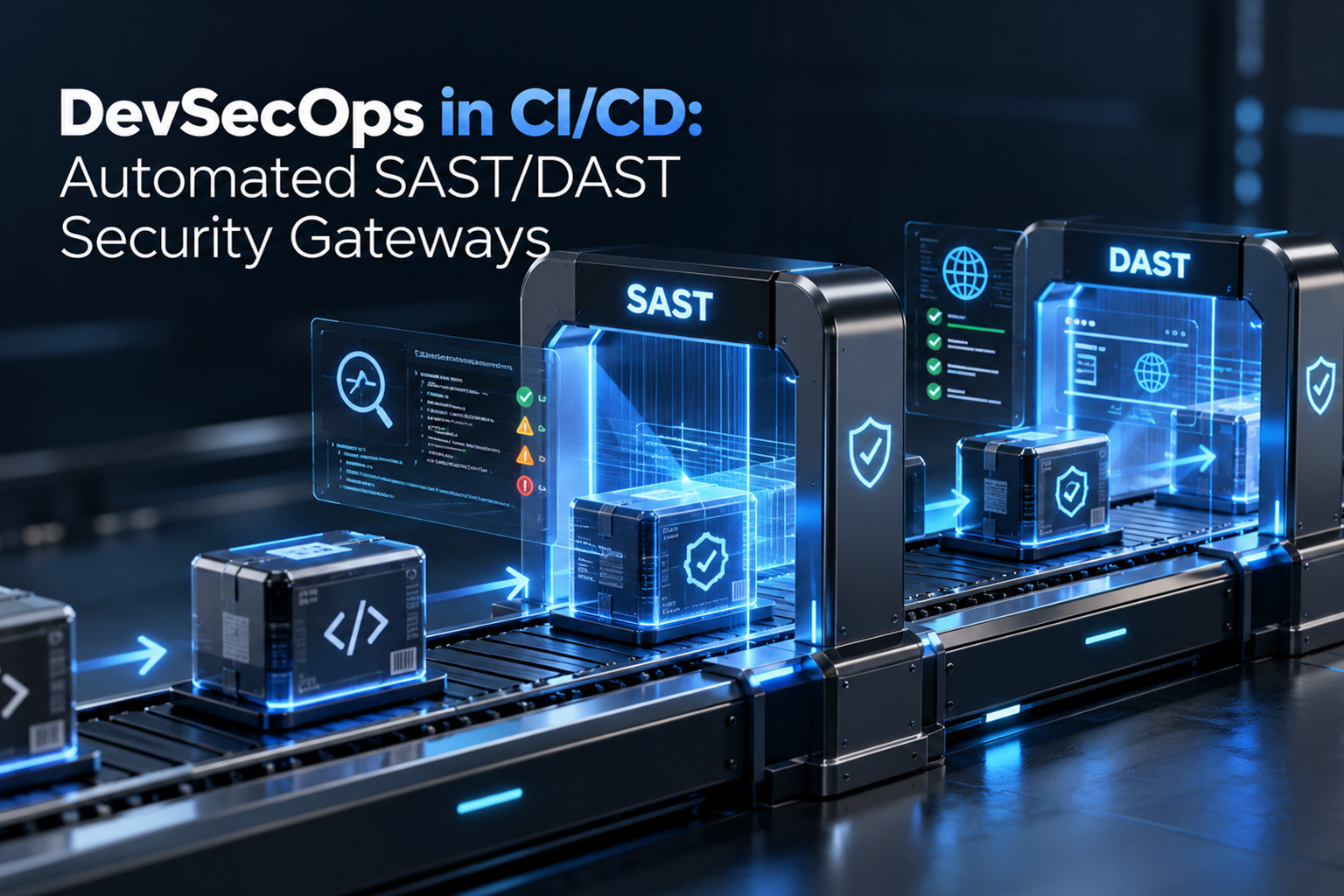
DevSecOps in CI/CD: How to Build Automated SAST/DAST Security Gateways
02 Oct 2026
Your engineering team ships fast. Your security process doesn't. That mismatch is why releases slip, why vulnerabilities reach production, and why CISOs and engineering leaders keep ending up in the same uncomfortable meeting after every incident.
The fix isn't choosing between speed and security. It's moving security checks into the pipeline itself, so every commit is tested automatically, and unsafe code never gets near production. This guide explains how automated SAST/DAST security gateways work, what a mature pipeline looks like, and how to implement one without wrecking your build times.
Quick Summary: What Is an Automated Security Gateway in CI/CD?
|
An automated security gateway embeds Static (SAST) and Dynamic (DAST) Application Security Testing into CI/CD pipelines such as GitHub Actions, GitLab CI, and Jenkins. It automatically halts any build that violates security policy before the code can reach production. |
1. The Deployment Bottleneck: Why Traditional Security Audits Fail Agile Teams
Most organizations still run security as a gate at the end of the process. Developers finish a sprint, hand the build to a security team, and wait. That model creates two problems that get worse as teams scale.
Pre-release friction. Manual security reviews at the end of a sprint can delay releases by days or even weeks. Security becomes the team everyone routes around, which is the opposite of what you want.
The cost of late remediation. The later you find a flaw, the more it costs to fix. A critical SQL injection or remote code execution (RCE) vulnerability caught in a pull request is a quick fix by the developer who just wrote the code. The same flaw found in production means incident response, emergency patches, possible disclosure obligations, and context-switching across multiple teams. Industry research has consistently found that remediation costs rise steeply the further a defect travels down the pipeline, and production fixes can cost many times more than fixes made at the pull-request stage.
Agile delivery needs security feedback measured in minutes, not weeks.
2. Legacy Security Audits vs. Shift-Left DevSecOps Gateways
"Shift-left" means moving security testing earlier in the software delivery lifecycle. Here is how the two approaches compare:
|
Vector |
Traditional Security Audits |
Automated DevSecOps Gateways |
|
Execution point |
Post-development / pre-launch |
Shift-left (PR trigger and staging deployment) |
|
Feedback loop |
Weeks, via manual PDF reports |
Real-time inline code annotations on GitHub/GitLab |
|
Scan mechanisms |
Manual penetration testing |
Automated SAST, DAST, SCA (dependencies), and secret scans |
|
Build governance |
Manual sign-off required |
Policy-as-code automated PR blocking (zero-tolerance rules) |
Manual penetration testing still has a place, especially for complex business-logic flaws that scanners miss. But it works best as a periodic deep-dive layered on top of automation, not as your only line of defense.
3. The 4 Technical Pillars of an Automated DevSecOps Pipeline
A strong enterprise application security pipeline rests on four layers. Each catches a different class of risk, and together they cover your code, your dependencies, your running application, and your enforcement rules.
Pillar 1: Shift-Left SAST and Secret Scanning
Static Application Security Testing analyzes source code without executing it. Tools like SonarQube and Semgrep run directly on pull requests and flag issues from the OWASP Top 10, such as injection flaws, insecure deserialization, and broken access control patterns, before code is merged.
Pair SAST with secret detection. Tools like TruffleHog and GitGuardian catch hardcoded API keys, tokens, and credentials, which remain one of the most common and most preventable causes of breaches. Findings appear as inline annotations on the pull request, so developers fix issues in the same place they wrote them.
Pillar 2: Software Composition Analysis (SCA) and Container Scanning
Most modern applications are largely third-party code. SCA tools such as Snyk and OWASP Dependency-Check inspect your open-source dependencies for known CVEs. Container scanners such as Trivy and Clair do the same for Docker images and base layers.
This pillar matters because a vulnerability in a transitive dependency is still your vulnerability once it ships. Automated scanning before deployment, plus continuous monitoring afterward, keeps your software bill of materials honest.
Pillar 3: Dynamic Application Security Testing (DAST) in Ephemeral Environments
SAST can't see how an application behaves at runtime. DAST can. It attacks a running application from the outside, the way a real adversary would, probing for issues like authentication weaknesses, misconfigurations, and injection flaws in live API endpoints.
The key to doing this safely is ephemeral environments. On each build or release candidate, the pipeline spins up a temporary staging environment, runs dynamic tests with tools like OWASP ZAP or Burp Suite Enterprise, and tears the environment down afterward. You get realistic attack coverage with zero risk to production.
Pillar 4: Policy-as-Code and Automated Quality Gates
Scanners generate findings. Gates decide what happens next. Policy-as-code defines your security thresholds in version-controlled rules, using Open Policy Agent (OPA) or native CI/CD controls, so enforcement is consistent and auditable.
The practical principle is to break builds only on findings that matter. For example, you might fail a build when any vulnerability has a CVSS score of 7.0 or higher, while lower-severity issues create tracked tickets without blocking delivery. Gates that block on every minor finding train developers to ignore or bypass them. Gates tuned to your risk baseline earn trust.
4. How to Automate SAST and DAST in a CI/CD Pipeline: A Practical Sequence
Here is a sensible order of operations for teams building this in 2026:
- Start with secrets and SAST on pull requests. These are fast, low-friction wins. Run them incrementally on changed files.
- Add SCA and container scanning to the build stage. Fail builds on critical, exploitable CVEs first, then tighten over time.
- Introduce DAST against an ephemeral staging environment. Begin in report-only mode so you can baseline noise before enforcing.
- Codify your thresholds as policy. Move from ad hoc settings to version-controlled rules that security and engineering both own.
- Measure and tune. Track mean time to remediate, false-positive rate, and build-time impact, then adjust.
Rolling out in report-only mode first is the step teams most often skip, and it's the one that determines whether developers embrace the pipeline or resent it.
5. SAST vs. DAST in an Enterprise Pipeline: Which Do You Need?
You need both. They are complementary, not competing. SAST finds flaws early and pinpoints the exact line of code, but it can't see runtime behavior or environment configuration. DAST validates what's exploitable in a running system, but it finds issues later and can't tell you which line to fix.
Mature pipelines use SAST for fast, early feedback on every pull request and DAST for deeper validation on staging builds, with SCA and secret scanning running alongside both.
6. Frequently Asked Questions
What is the main difference between SAST and DAST in a CI/CD pipeline?
SAST (Static Analysis) examines source code from the inside out without running it, catching vulnerabilities early in development. DAST (Dynamic Analysis) tests a running application from the outside in, simulating real-world attacks against deployed endpoints.
How do you prevent SAST/DAST tools from slowing down CI/CD build times?
Run SAST and secret scans incrementally on changed files during pull requests. Offload full-repository SAST scans and DAST execution to asynchronous, parallel background jobs or nightly runs, so developers get fast feedback without waiting on long scans.
What CVSS threshold should break a build?
Many enterprises start by blocking on CVSS 7.0 and above (high and critical severity) and tracking lower findings as tickets. The right baseline depends on your risk tolerance, regulatory environment, and how much existing vulnerability debt you carry.
Should DAST ever run against production?
Generally no, at least not active scanning. Run dynamic attacks in ephemeral or dedicated staging environments, and reserve production for passive monitoring and carefully scoped assessments.
Build Bulletproof CI/CD Security Gateways with Senior DevSecOps Engineers
Most teams don't fail at DevSecOps because they picked the wrong scanner. They fail because tool integration, policy design, and noise management are hard to get right while also shipping product. Gates that are too strict stall delivery. Gates that are too loose give false confidence.
The goal is to stop trading deployment speed for security. Partnering with senior cloud security architects and DevSecOps engineers lets you automate compliance, vulnerability scanning, and CI/CD security gateways for high-throughput enterprise platforms, with a SAST/DAST toolchain that's tuned to your stack from day one rather than bolted on after the first incident.
|
Planning to Shift-Left Security in Your CI/CD Pipelines? De-risk your software delivery lifecycle before your next major release. Connect with Nanobyte’s Cloud Security Architects for a Free 15-Minute DevSecOps Pipeline & Security Gateway Review. |
.jfif)